Typing Speed by Profession: WPM Benchmarks for Coders, Writers, Data Entry, and Gamers (2026)
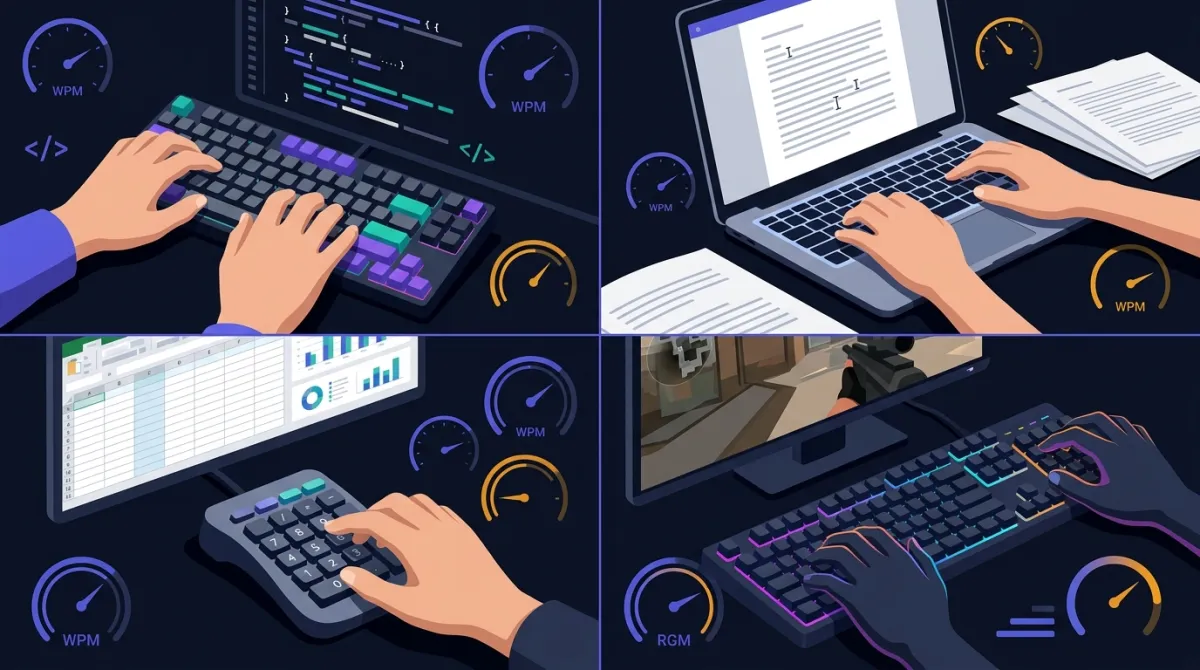
“Is my typing speed good?” is the wrong question. The right one is “Is it good for what I do?” A 65 WPM data-entry clerk is below benchmark; a 65 WPM software engineer is comfortably above it. Below are the real WPM bands by profession, what employers actually screen for, and a way to see exactly where you land in about a minute.
First, A Quick Baseline
The average adult types around 40 WPM on a standard prose test, according to the large public datasets that have measured this. The single biggest study — Dhakal et al. (2018) at Aalto University, which logged 168,000 volunteers typing the same passages — put the mean at roughly 52 WPM, skewed upward because online volunteers tend to be younger and more keyboard-comfortable than the general population. Trained touch typists cluster in the 65–80 WPM range. Competitive typists exceed 120 WPM.
Those are population numbers. They tell you nothing about whether your speed is adequate for your job. Before reading the per-profession bands, get your own number: take a quick 1-minute typing test and note your WPM and accuracy. Keep both figures in mind — for several professions below, accuracy matters more than raw speed.
WPM Benchmarks by Profession
The table below combines public typing-speed datasets, job-posting requirements we surveyed across data-entry and support listings, and self-reported figures from our own KeyRush users who tagged their profession. Treat the “employer baseline” column as the floor a posting is likely to demand, and the “typical range” as where competent practitioners actually fall.
| Profession | Typical WPM Range | Employer Baseline | What Matters Most |
|---|---|---|---|
| Data entry / transcription | 60–90 WPM | 60 WPM (often tested) | Accuracy |
| Customer support / live chat | 50–75 WPM | 50 WPM | Speed + accuracy |
| Administrative / office | 45–65 WPM | 40 WPM | Consistency |
| Writers / journalists | 50–80 WPM | None formal | Sustained pace |
| Software engineers | 55–75 WPM | None | Accuracy, navigation |
| Lawyers / paralegals | 45–70 WPM | None formal | Accuracy |
| Competitive gamers (text-heavy genres) | 90–130 WPM | None | Reaction + speed |
Data Entry and Transcription: Speed Is the Job
This is the one field where typing speed is a hard, screened requirement. Most data-entry postings list 60 WPM as a floor, and a large share run a timed test before hiring. Transcription is tougher still: medical and legal transcriptionists routinely work at 70–90 WPM because they are paid per audio hour, and slow typing directly cuts their effective wage. Crucially, these roles weight accuracy heavily — a 90 WPM typist at 92% accuracy is worse than a 70 WPM typist at 99%, because every error needs catching and fixing.
If you are preparing for a data-entry test, practice on realistic material. The generic prose in a standard speed test under-prepares you for the numbers, codes, and proper nouns these jobs throw at you. Paste a sample of the actual content you will be typing into custom text mode and benchmark against that instead — it is a far better signal than a plain passage.
Customer Support and Live Chat: The Quiet Speed Job
Support has become one of the most typing-intensive jobs of the decade, and it is rarely advertised that way. A live-chat agent often handles two to four conversations simultaneously, and response latency is a tracked metric. Employers increasingly screen for 50–65 WPM because a slow typist cannot keep multiple chats warm. The same logic applies to social-media and community-management roles. If you are in or applying for one of these jobs, the 2-minute typing test is the better gauge than the 1-minute, because the real demand is sustained output across a shift, not a sprint.
Writers and Journalists: Sustained Pace Over Peak Speed
Writers have no formal WPM requirement — nobody hires a journalist on a typing test — but the job rewards a steady, fatigue-resistant pace more than a high peak. The bottleneck for most writing is thinking, not typing, yet there is a real threshold effect: once your typing is fast enough to keep up with your inner voice (roughly 60+ WPM for most people), the keyboard stops interrupting your thoughts. Below that, you lose ideas mid-sentence while your fingers catch up. The practical target for a working writer is not maximum WPM but the ability to hold 60–70 WPM comfortably for an hour without strain. To test that, the 5-minute typing test is the right tool — it measures sustained speed and surfaces where accuracy starts to slip as your hands tire.
Software Engineers: The Stereotype Is Wrong
Programmers are widely assumed to be the fastest typists, and on a plain-prose test they usually are not. Public datasets and our own user data both put working engineers in roughly the 55–75 WPM band — good, but not exceptional. There are three reasons. First, coding is mostly symbols, brackets, and identifiers, which standard tests do not contain. Second, a huge fraction of programming time is reading and thinking, not typing. Third, much of an experienced developer's keyboard work is navigation and shortcuts rather than character entry.
This is well supported by productivity research: studies of developer output, going back to the classic work on individual programmer-productivity variation, consistently find that the differences between developers come from problem-solving, code reuse, and avoiding rework — not from how fast they type. If you are a developer wondering whether to grind WPM, the honest answer is that past about 60 WPM the returns for your job are minimal. We dug into this directly in our companion piece on the Skill Index, which catalogs where engineering leverage actually comes from. That said, accuracy still matters: typos break builds, and fixing them mid-flow is a real tax.
Gamers: Only Some Genres Care
Typing speed is irrelevant to most gaming — your aim and reflexes decide a shooter, not your WPM. The exceptions are text-heavy and coordination-heavy genres: real-time strategy, MMO raid leading, and of course competitive typing games themselves, where top players exceed 130 WPM. What separates these players is not just speed but reaction time and the sheer keyboard hours that come with the hobby. If you game competitively in one of those genres and want to know where you stand, run a timed test and compare against the 90–130 WPM band; for everyone else, gaming and typing speed are simply unrelated skills.
How to See Where You Land
Find your profession's band in the table above, then take a test and compare. A few practical notes on getting a trustworthy number:
- Run it more than once. A single 1-minute test is noisy — one bad sequence can cost you 10 WPM. Take it three times and use your median.
- Watch accuracy, not just speed. For data entry, support, and legal work, anything below 97% accuracy is the real problem, no matter how high the WPM.
- Test on representative text. If your job is numbers or code, a generic passage flatters you. Use custom text mode with your actual material.
- Track over time. One number is a snapshot. Save your results to the leaderboard and watch the trend across weeks of practice — that is what tells you whether your training is working.
If you land below your profession's baseline, do not panic — the gap closes faster than people expect. The largest gain comes from proper touch typing, and the second-largest from accuracy-first practice. Short, focused daily sessions beat occasional long ones; pairing a 15-minute drill with a simple timer like FocusFlow keeps practice deliberate instead of mindless. Our full walkthrough of the techniques is in how to improve your typing speed.
The Bottom Line
There is no universal “good” typing speed — only good for your job. Data entry, transcription, and live-chat support are the fields where WPM is genuinely screened, and where accuracy carries equal weight. Writers and lawyers benefit from a comfortable sustained pace but face no formal bar. Software engineers are over-credited for typing speed and would gain more from almost anything else. And for most gamers, typing speed simply does not register. Find your band, take a test, and judge your number against the benchmark that actually applies to you — not against a stranger's record run.
Frequently Asked Questions
What typing speed do employers actually require?
It depends entirely on the job. General office and administrative roles list 40–50 WPM as a baseline. Data-entry and transcription roles commonly require 60–80 WPM, and many run a timed test as part of the application. Customer-support and live-chat roles increasingly screen for 50–65 WPM because agents handle multiple conversations at once. Software engineering, contrary to the stereotype, has no formal WPM requirement at all — nobody runs a typing test in a coding interview. The honest rule: if a job posting mentions a WPM number, it is almost always data entry, transcription, or chat support.
Why do programmers type slower than data-entry clerks on speed tests?
Because the two jobs are measuring different things. A data-entry clerk types continuous, predictable prose or numbers, which is exactly what a standard typing test rewards. A programmer spends most keyboard time on symbols, brackets, navigation, and IDE shortcuts — and a large share of coding time is spent thinking, not typing. On a plain-prose test, many strong engineers land in the 55–70 WPM range, which is good but not record-breaking. Their actual productivity bottleneck is rarely raw typing speed.
Does typing speed matter for gamers?
For most games, no — movement and aim dominate. The exception is genres with heavy text or command input: real-time strategy, MMOs with chat-coordinated raids, and competitive typing games. Esports players in those genres often post 90–120+ WPM, partly from sheer hours at the keyboard and partly from low-latency keyboards and high reaction speed. For a first-person shooter, your typing speed has essentially no effect on your rank.
How can I find out how I compare to my profession?
Take a timed typing test and compare your result against the benchmark for your field below. A single 1-minute test is noisy, so run it two or three times and use your median. For a more stable number, the 2-minute or 5-minute test smooths out lucky and unlucky runs. Then read the benchmark band for your job — if you are at or above the median for your profession, you are not the bottleneck.
Can I realistically raise my WPM to meet a job requirement?
Yes, and faster than most people expect. The biggest single gain comes from switching from hunt-and-peck to touch typing, which can add 20–30 WPM over a few weeks of daily 15-minute practice. After that, accuracy work and rhythm drills typically add another 10–20%. If a job needs 60 WPM and you are at 45, that gap usually closes in four to eight weeks of consistent, deliberate practice — not months.